How to add an AI chatbot to Pagewiz
You want to embed your custom trained AI support agent in your Pagewiz website page. Here’s how to add an AI support agent to Pagewiz with Chatbot AI.
Pagewiz is a landing page platform that enables marketers to create, publish, and optimize high-converting landing pages with ease. It offers a wizard-style interface that feels as straightforward as a PowerPoint presentation, helping users launch campaigns faster and smarter. The platform handles hosting, performance monitoring, and maintenance around the clock, reducing the overhead associated with managing your conversion funnel.
Add your AI support agent to your Pagewiz website
In AI Chatbot
Select your chatbot from the dropdown menu at the top, click on the Install Agent section in the sidebar, then click on the Copy Code button to copy your code snippet.
In Pagewiz
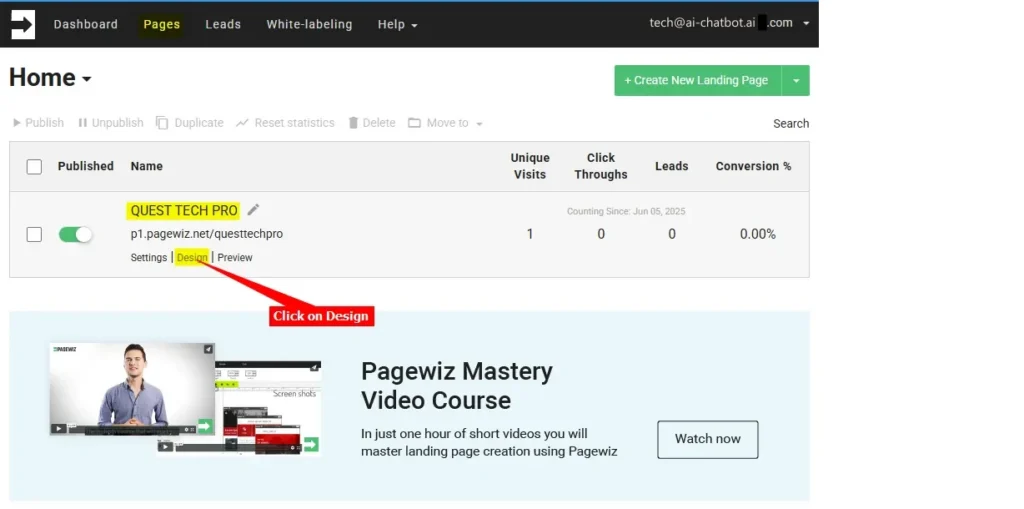
- Log into your Pagewiz account, make sure Pages is selected on the top menu bar and click on Design for the page you want to add your AI support agent to
Note: There are two (2) ways to add your snippet to your Pagewiz page.
a. Using the Embed Code component to insert the code per page or
b. Add a global JS Script which will then be applied to all pages
A. Using the Embed Code component option:
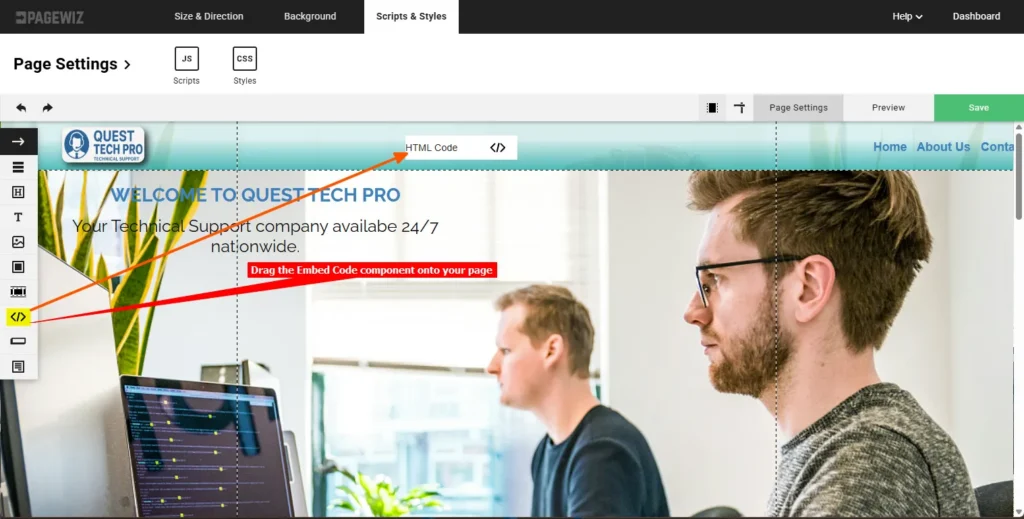
i. Drag the Embed Code component onto your page
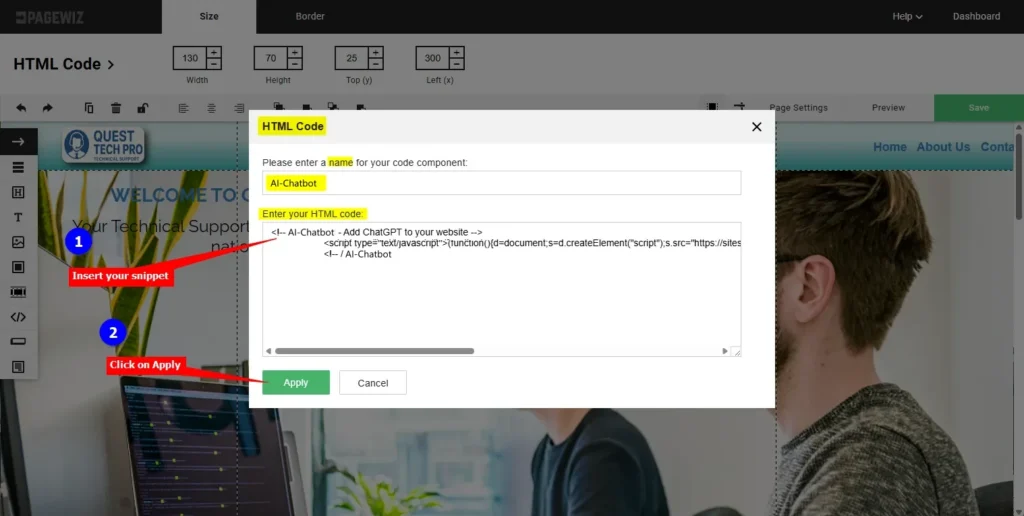
ii. Enter a name for the code component, insert your snippet in the HTML code text box and click on Apply
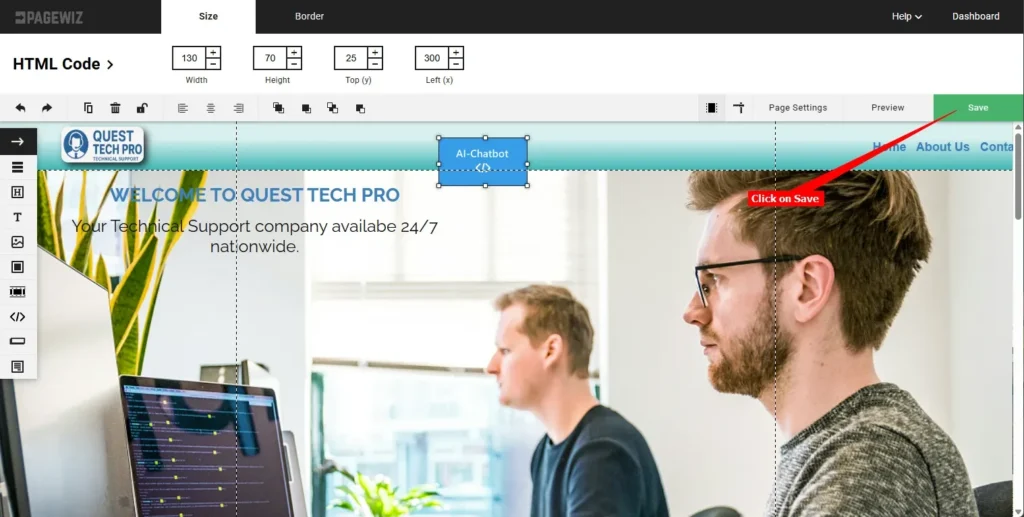
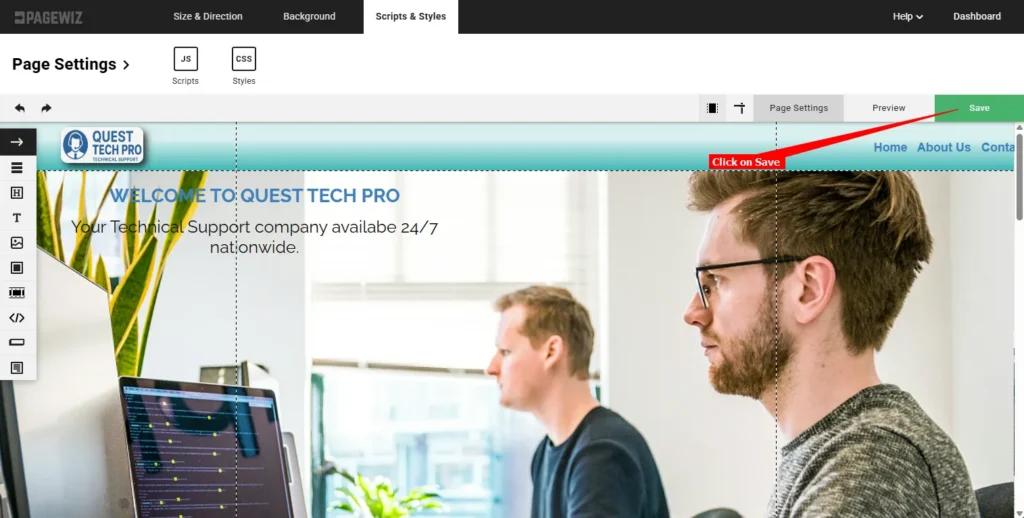
iii. Click on Save to save your page modifications
B. Using the global JS Script option:
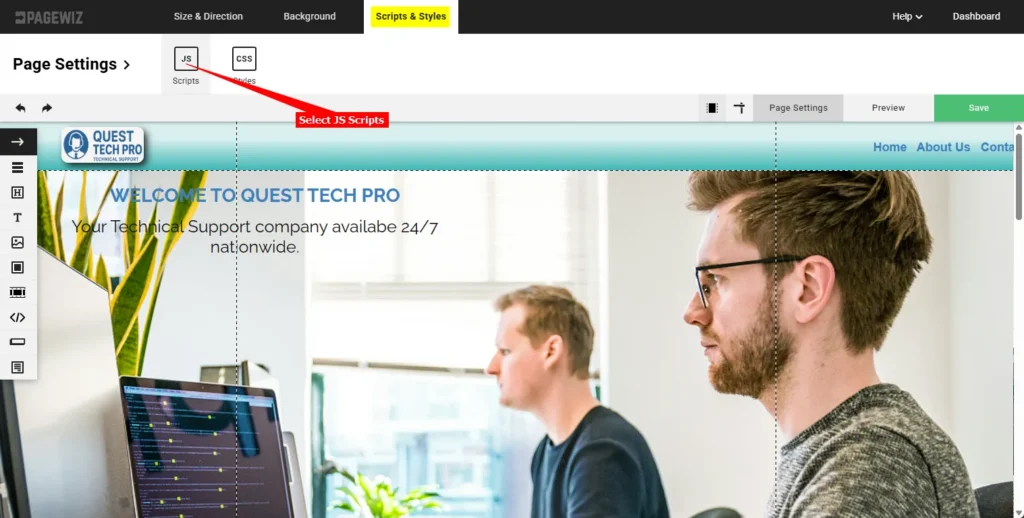
i. Select Scripts & Styles on the top menu bar and select the JS Scripts option
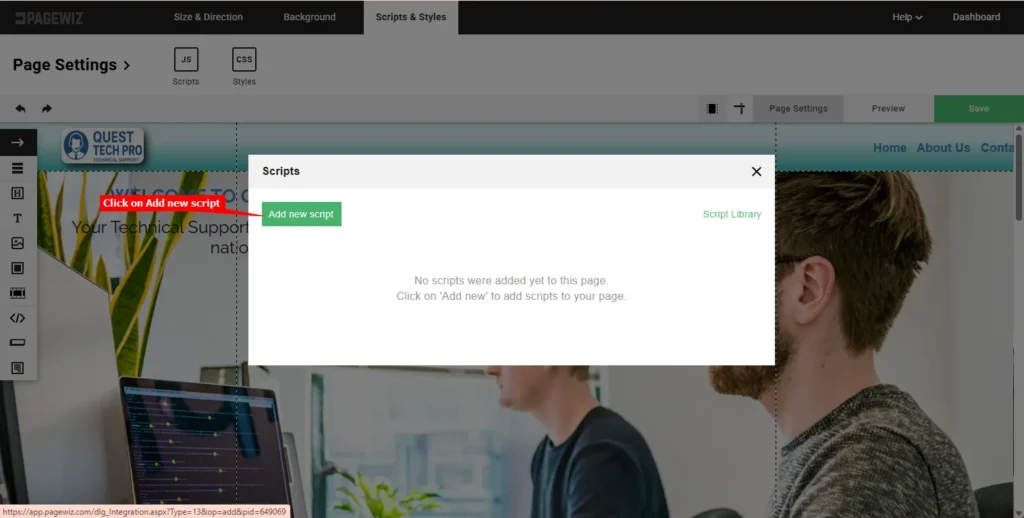
ii. Click on Add new script
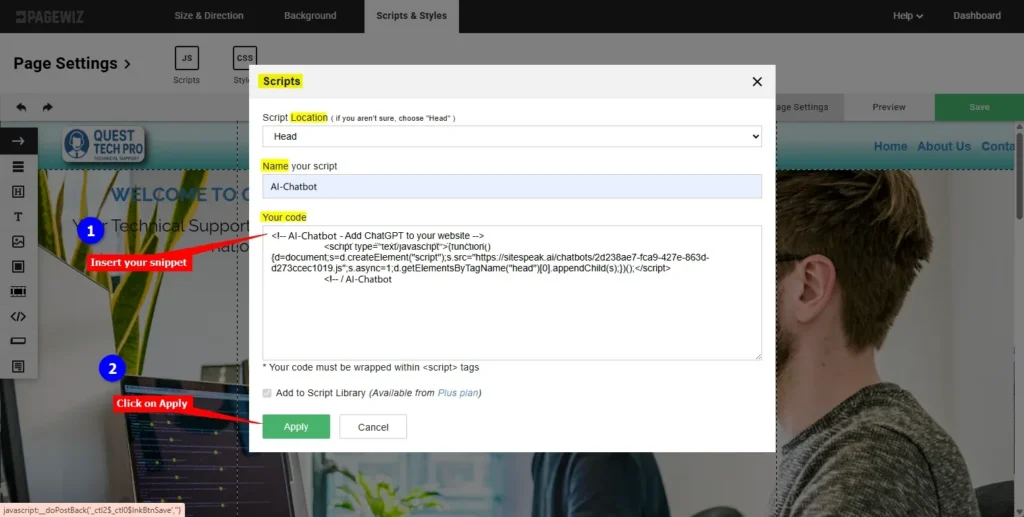
iii. Select the location to place your script (Head, Body or Footer), provide a name for your script, insert your snippet and click on Apply
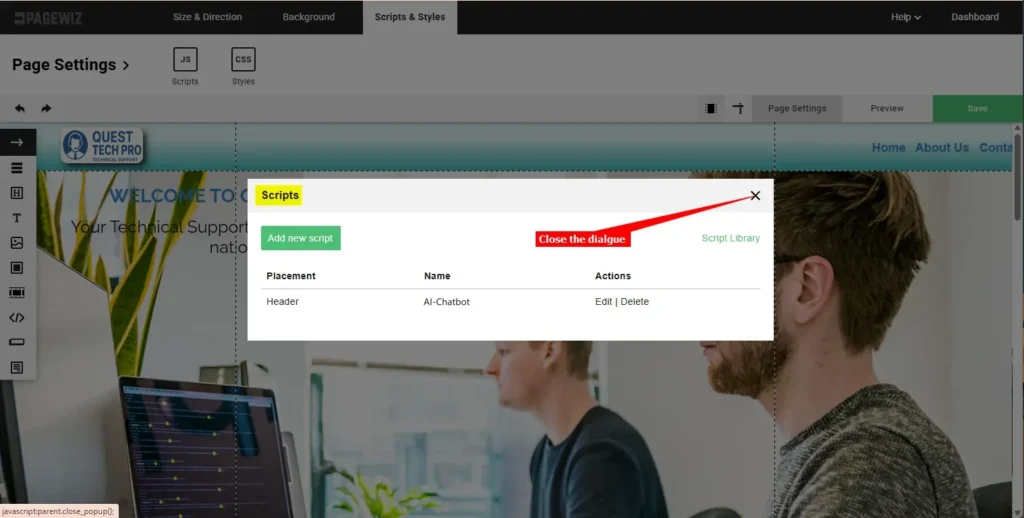
iv. Close the Scripts dialogue
v. Click on Save to save your page modifications
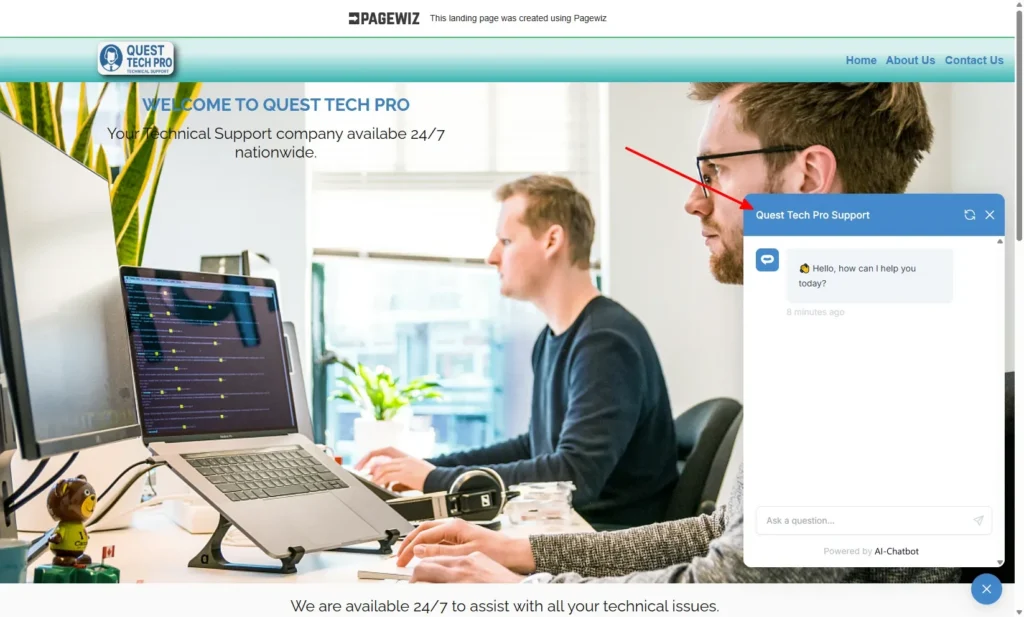
- Your AI support agent button will now be displayed on your Pagewiz website page
- If you click on the button it will display the AI support agent dialogue
Your AI support agent has now been added to your Pagewiz website and your visitors/customers can start interacting with it!
Join over 1000+ businesses, websites and startups automating their customer service and other tasks with a custom trained AI agent.