
- Managing Your Chatbot
- Audio
Training Your Chatbot
Train Your Chatbot on Audio Files
Upload audio files to train your chatbot. AI Chatbot will transcribe the audio and use the content for training.
Upload audio files to train your chatbot on podcasts, recorded calls, voice memos, or any other audio content. AI Chatbot will automatically transcribe the audio and use the extracted text for training.
Upload audio files to train your chatbot on audio
1
In your chatbot dashboard, click Training & Content in the sidebar.
2
Click on Sources.
3
Click Add Sources
Click the + Add Sources button.
4
From the source type dropdown, select Audio.
5
Click Choose files and select the files you want to upload. You can upload multiple files at once.
6
Click the Upload Files button to upload and start training on your documents.
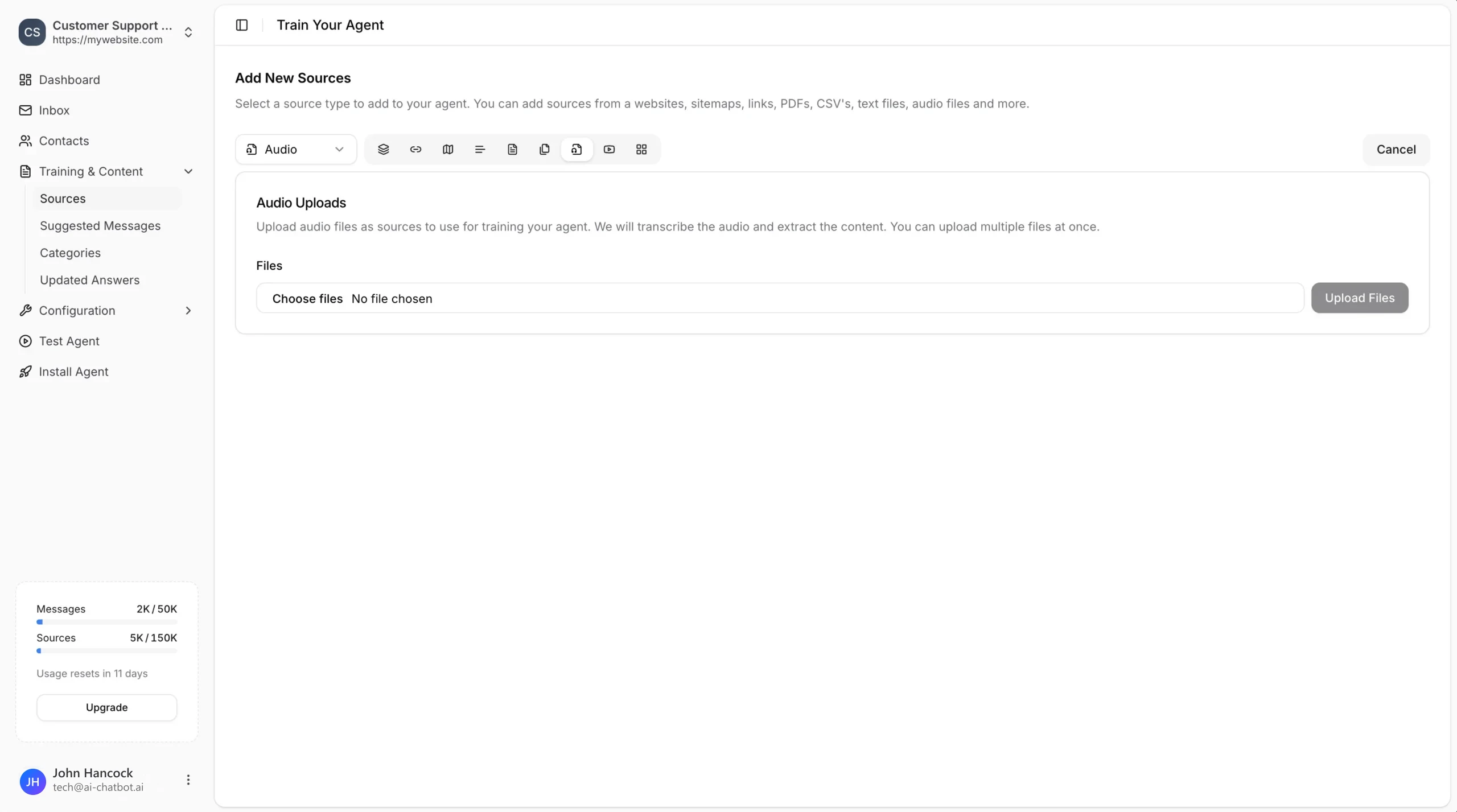
How it works when you train your chatbot on audio
- Upload: Select one or more audio files from your computer.
- Transcription: AI Chatbot automatically transcribes the audio content.
- Training: The transcribed text is used to train your chatbot.
- Review: Open the new source and check the transcript. If a name or number was misheard, correct the audio and upload it again.
Use audio training for knowledge that only exists as speech, such as podcast episodes, recorded calls or voice memos. When the same information already exists as a document or web page, add that source instead so the chatbot trains on the exact wording.
Best Practices
- Clear audio: Use audio files with clear speech and minimal background noise for better transcription accuracy.
- Relevant content: Upload audio that contains information your chatbot should know about.
- Review sources: After training, check the transcribed content in your sources list to ensure accuracy.
- One topic per file: A recording about a single product, policy or process is easier to match to a visitor question than a long mixed session.
- Descriptive file names: Name files by topic and date so the right source is easy to find when you review or replace it.
Audio transcription works best with spoken content like interviews, webinars, tutorials, and customer calls.