
- Website Builders
- Plasmic
Website Builders
How to add an AI chatbot to Weebly
How to add your custom trained AI chatbot to your Weebly website.
Weebly is a popular, cloud-based web hosting and website creation service owned by Square. It lets people with no coding skills build standard websites, blogs, or online stores using an easy drag-and-drop editor.
Add your AI support agent to your Weebly website
In AI Chatbot
Select your chatbot from the dropdown menu at the top, click on the Install Agent section in the sidebar, then click on the Copy Code button to copy your code snippet.

In Weebly
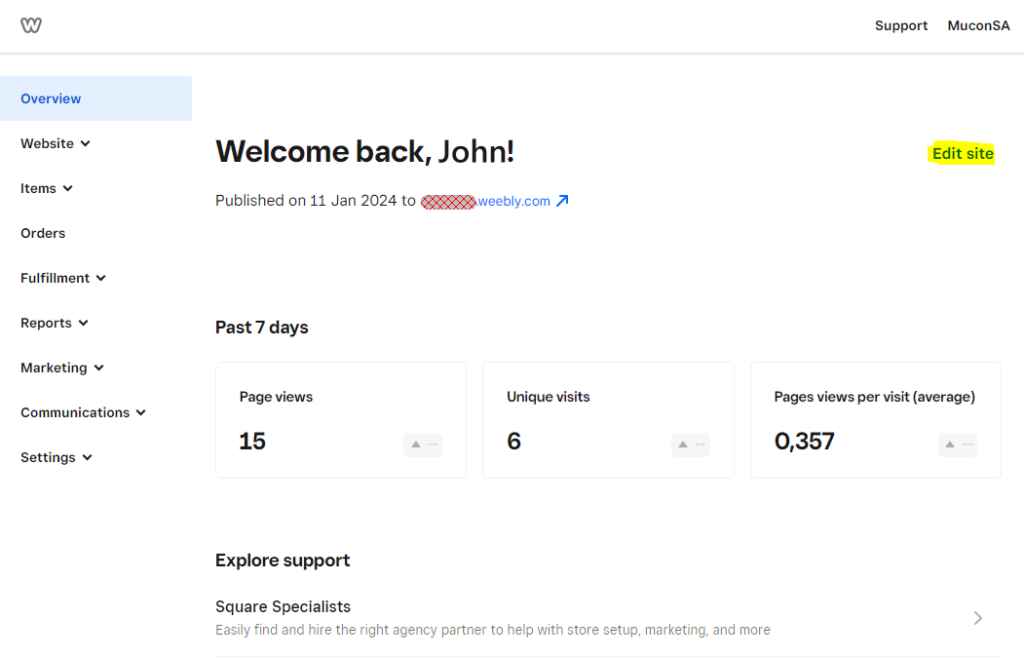
On your dashboard select Edit site
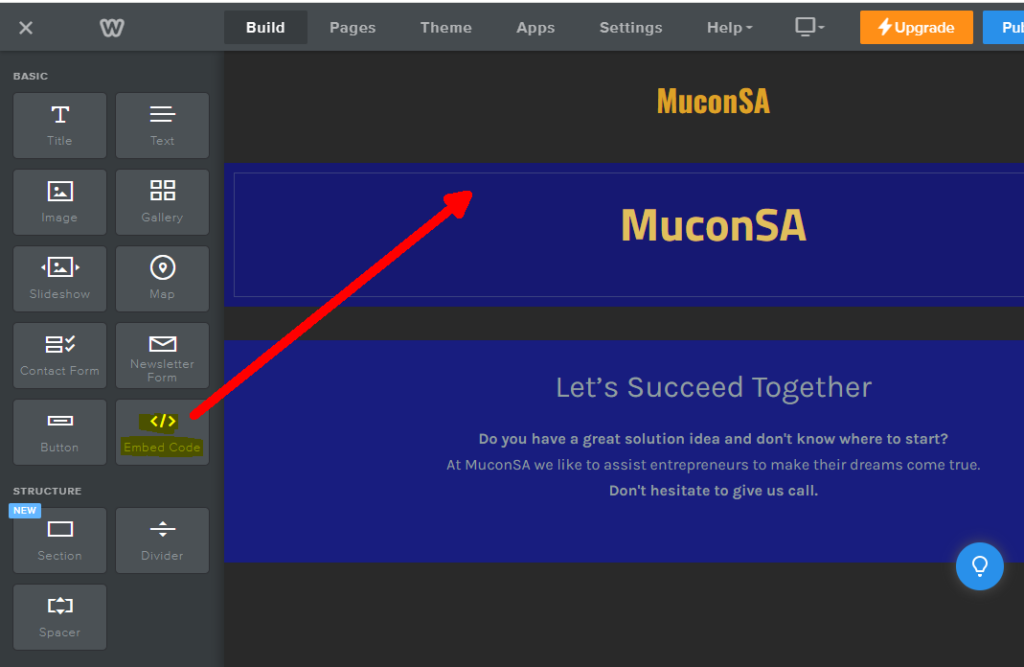
- Drag the Embed Code element to your website page. Note! This must be done for each page you want to add your AI support agent to.
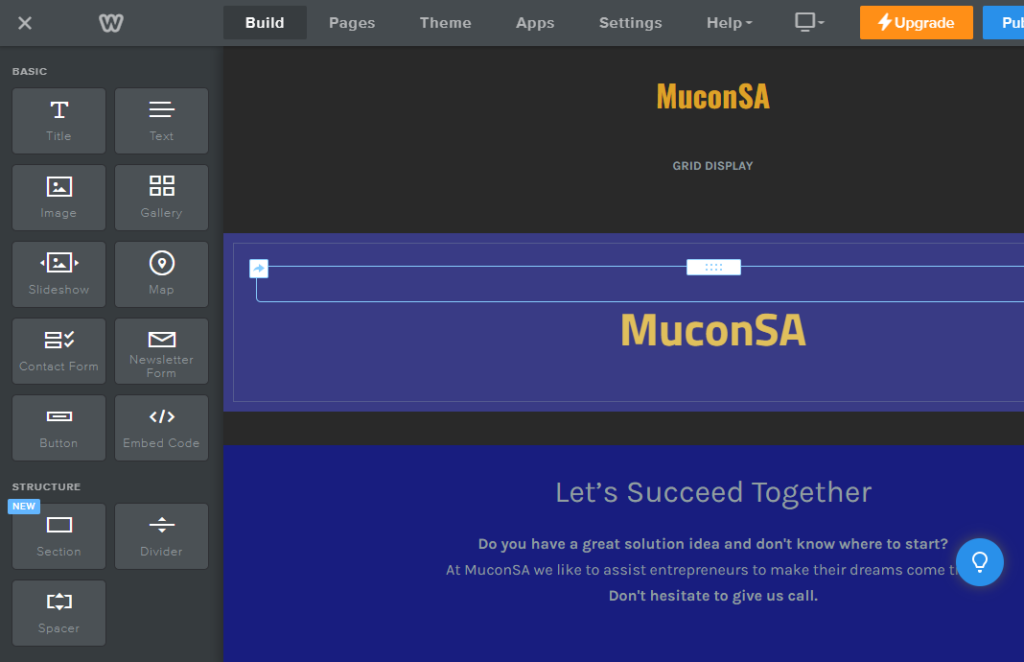
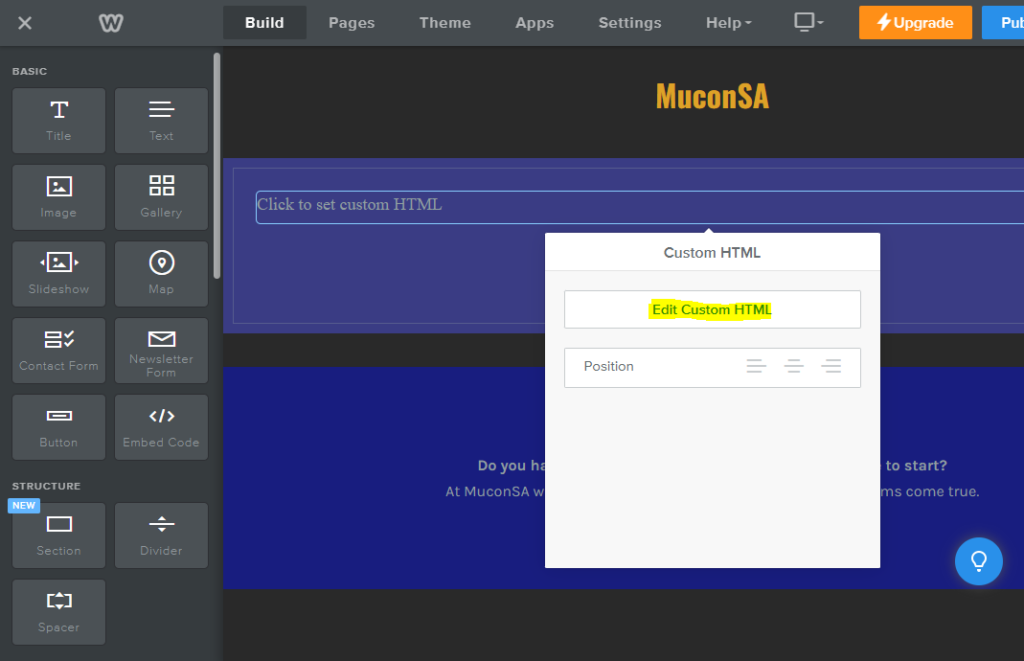
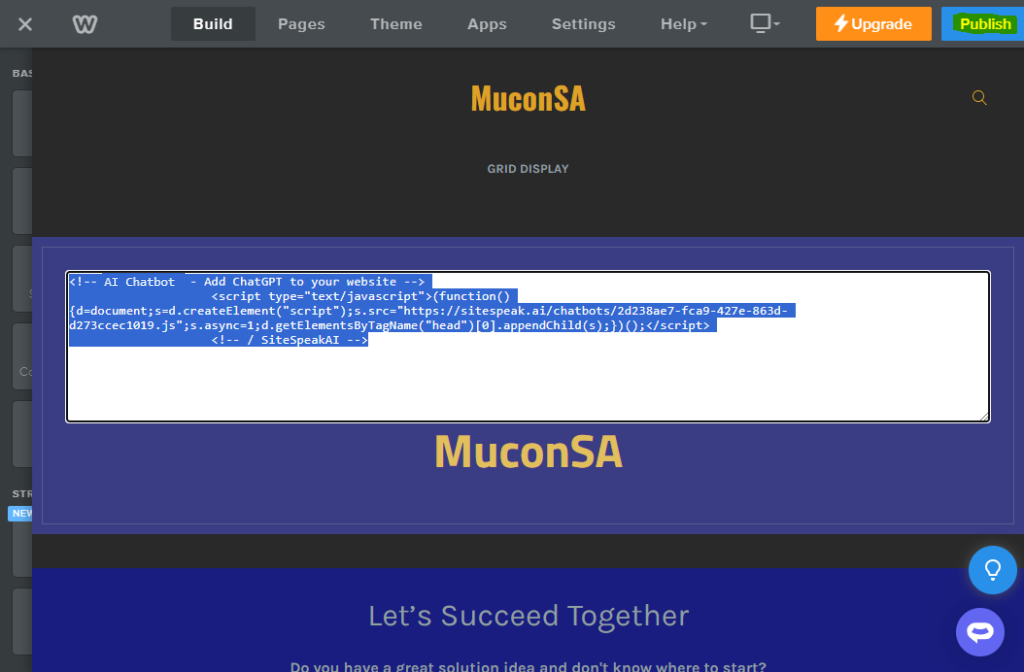
- Click on the Embed Code element to open the Custom HTML editor.
- Paste your snippet in the editor text box and click on Publish to view your live website page.
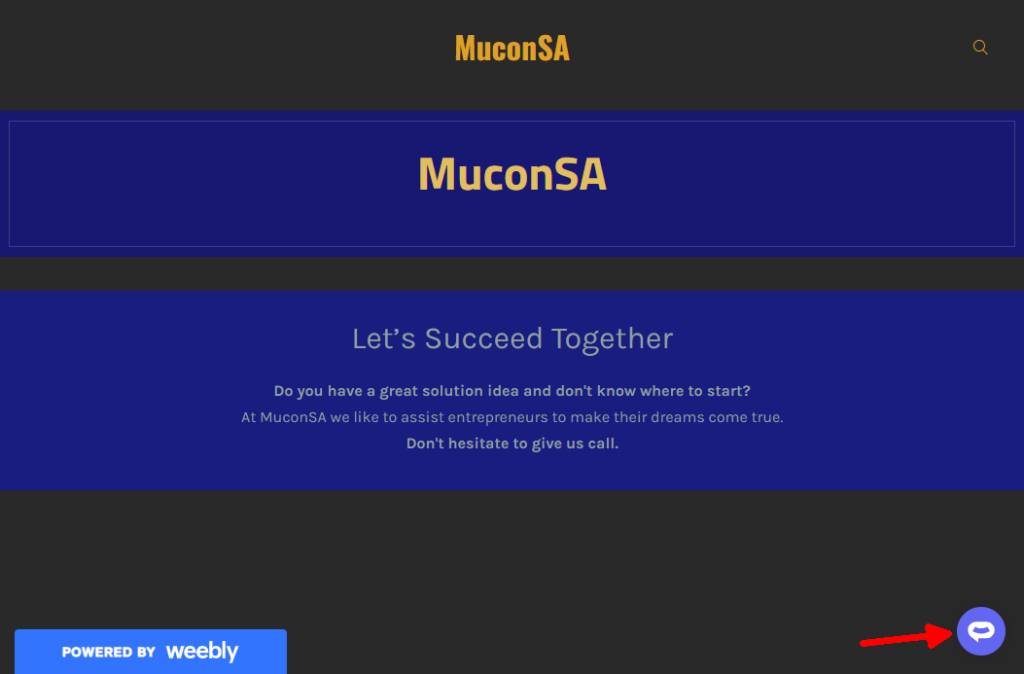
- Your AI support agent button will now be displayed on your website page.
- If you click on the button it will display the AI support agent dialogue.
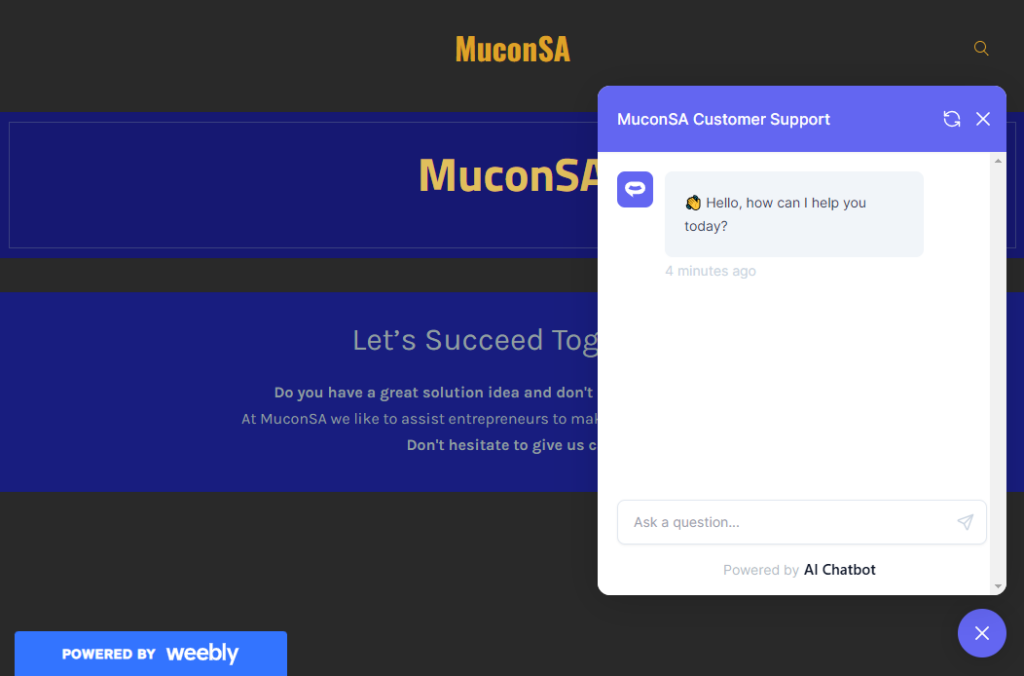
Your AI support agent is now added to your Weebly website and your customers/visitors can start interacting with it.
Ready to automate your customer service with AI?
Join over 1000+ businesses, websites and startups automating their customer service and other tasks with a custom trained AI agent.