
- Website Builders
- Plasmic
Website Builders
How to add an AI chatbot to Publii
How to add your custom trained AI chatbot to your Publii website.
You want to embed your custom trained AI support agent in your Publii website page. Here’s how to add an AI support agent to Publii with AI Chatbot.
Publii makes website creation simple and accessible for everyone, no matter your skill level. With an intuitive desktop interface and built-in privacy-first tools, Publii offers flexible and powerful options to build and manage blogs, portfolios, or documentation websites — quickly, securely, and completely hassle-free. It’s the perfect tool for creators, authors, and businesses who value control and simplicity.
Add your AI support agent to your Publii website
Please note:
Publii is not an on-line (web based) website builder. It is installed on your computer as an application.
The default server setup is on your local computer but it can be setup to use FTP or SFTP to transfer the code to a host of your choice.
In AI Chatbot
Select your chatbot from the dropdown menu at the top, click on the Install Agent section in the sidebar, then click on the Copy Code button to copy your code snippet.

In Publii
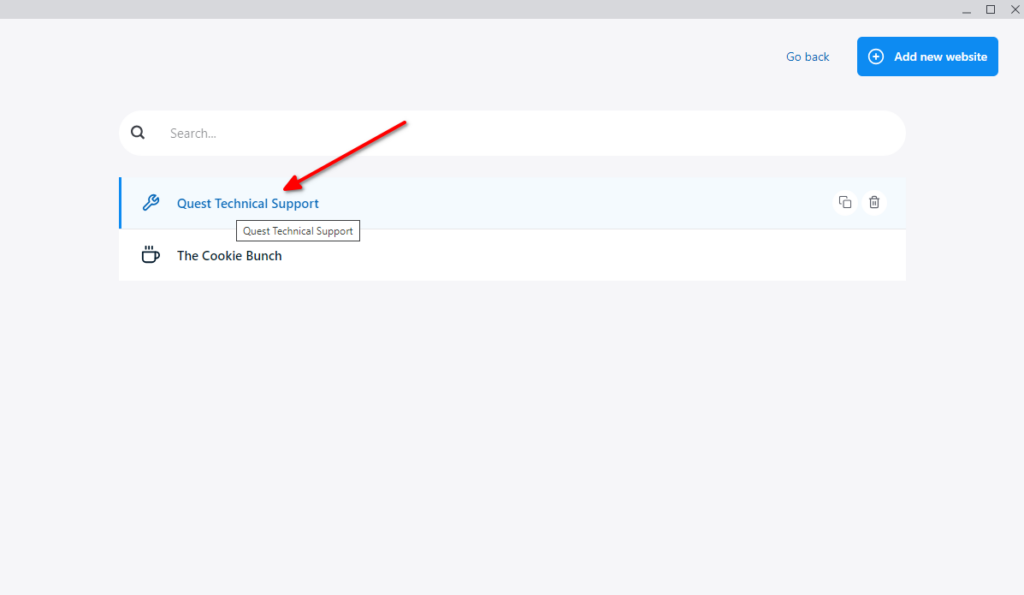
- Start the Publii application and (if you have more than one site created on Publii) select the website from the dropdown list
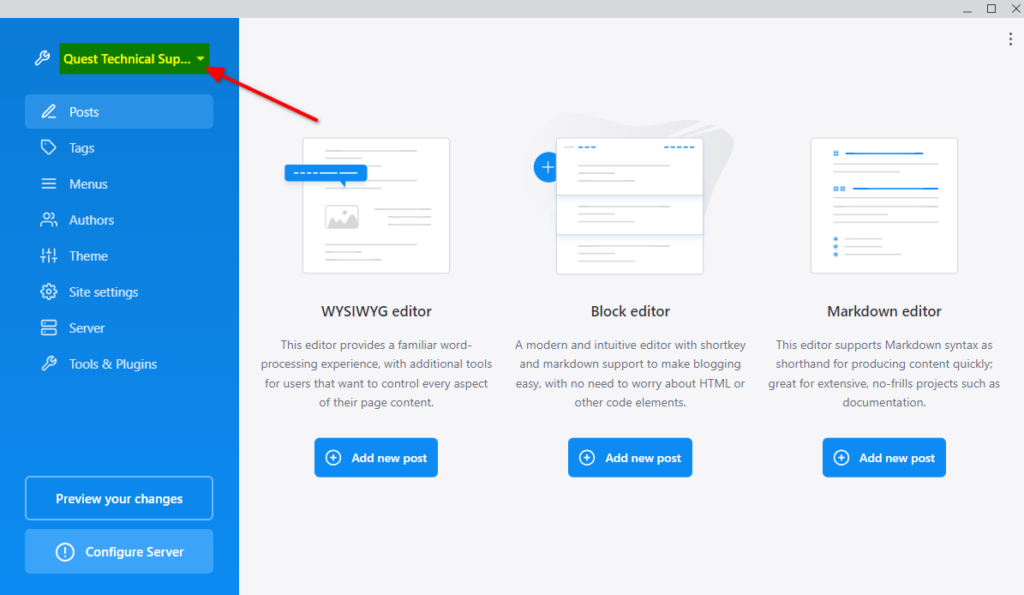
…
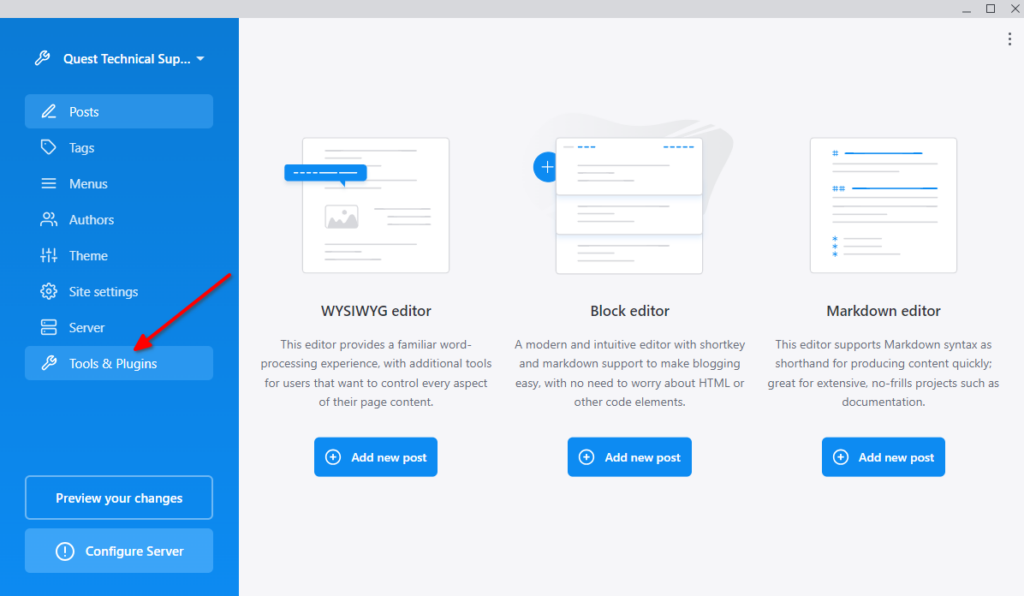
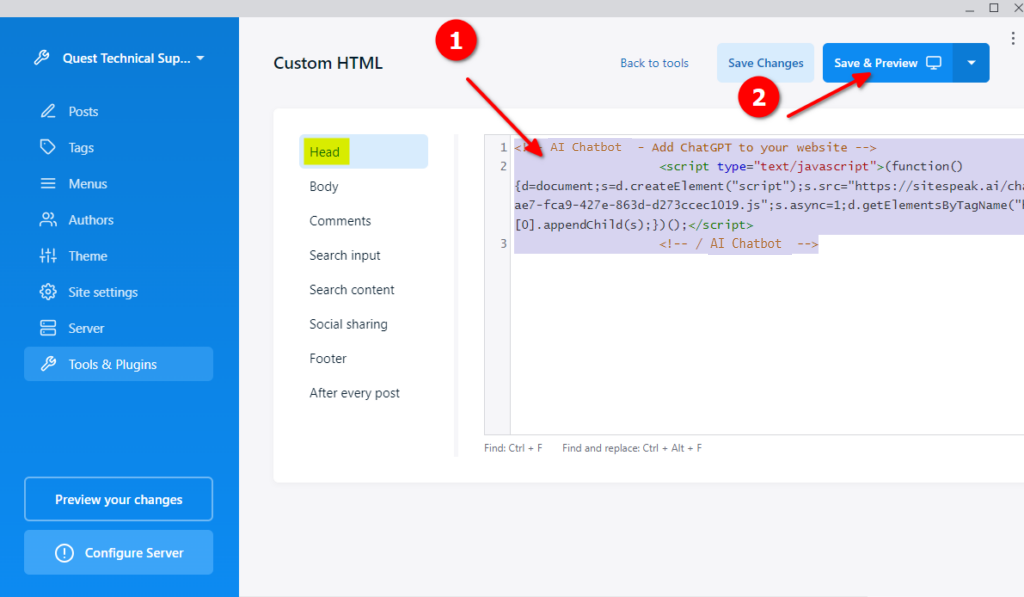
- Select Tools & Plugins
- Select Custom HTML
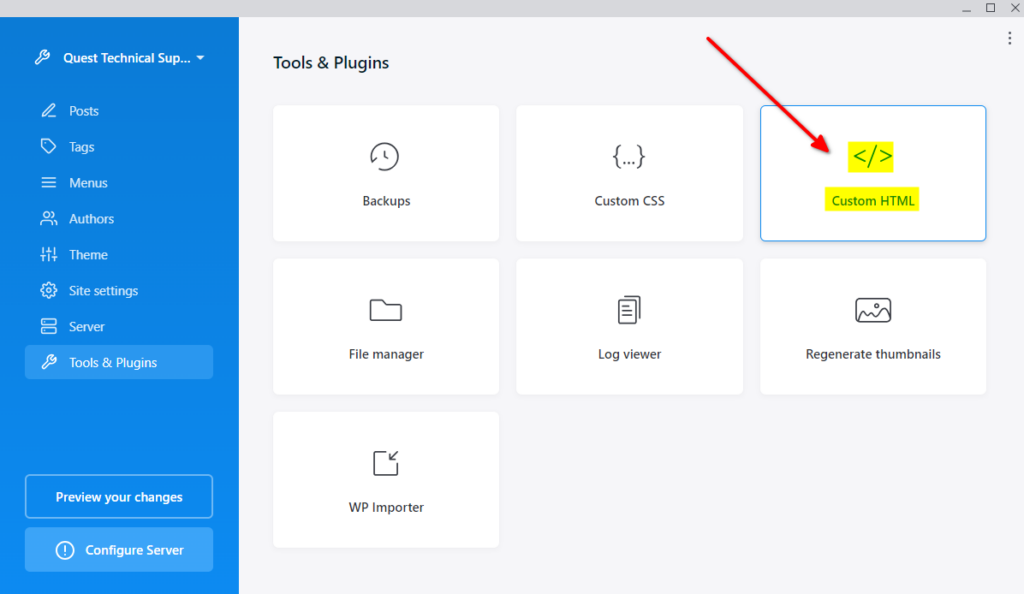
- Insert your snippet in the Head (or Footer) part of your website and click on Save & Preview
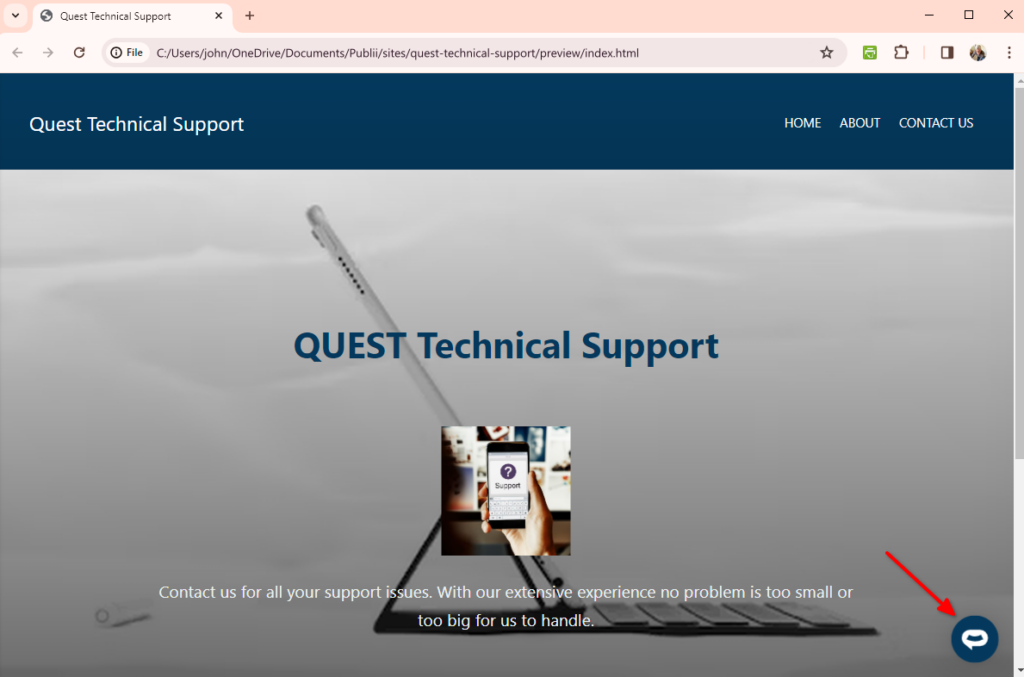
- Your AI support agent button will now be displayed on your Publii website
- If you click on the button it will display the AI support agent dialogue
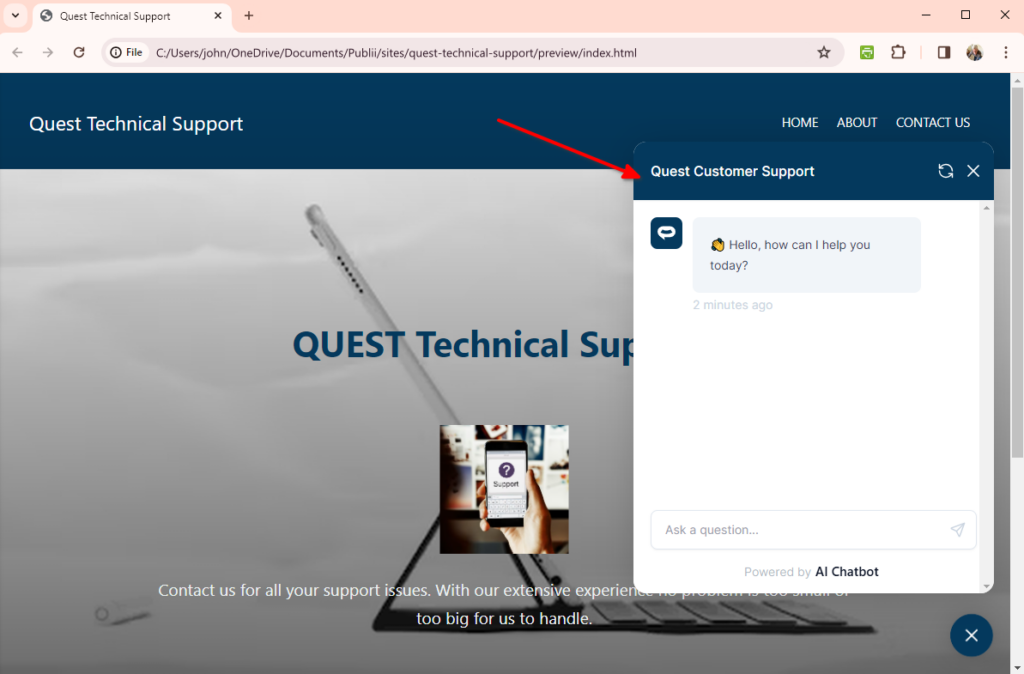
Your AI support agent is now added to your Publii website and your customers can start interacting with it!
Ready to automate your customer service with AI?
Join over 1000+ businesses, websites and startups automating their customer service and other tasks with a custom trained AI agent.