
- Tools & Actions
- Polar
Agency & Reseller
Add Polar Subscription & Checkout Actions
The Polar actions allow your AI agent to look up subscription information, generate invoices, and provide checkout links for your products and services.
Available Polar Actions
- Polar: Get Checkout Link - Retrieve a checkout link for a product or service
- Polar: Get Customer Subscription - Get information about a customer’s subscription like payment date or a link to a receipt or invoice
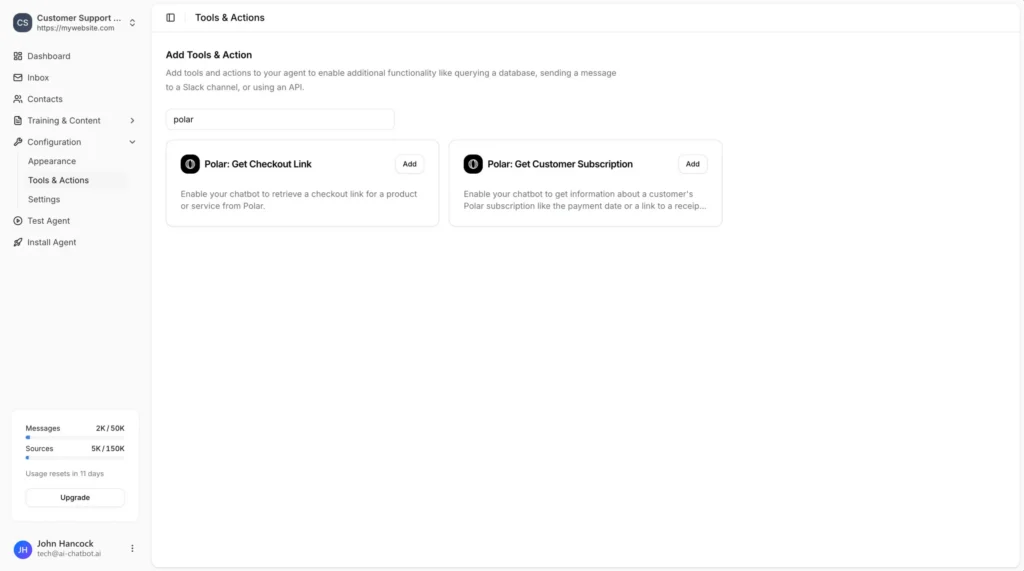
Adding a Polar Action
1
In your chatbot dashboard, go to Configuration → Tools & Actions.
2
Find Polar: Get Checkout Link or Polar: Get Customer Subscription and click Add.
Configuration
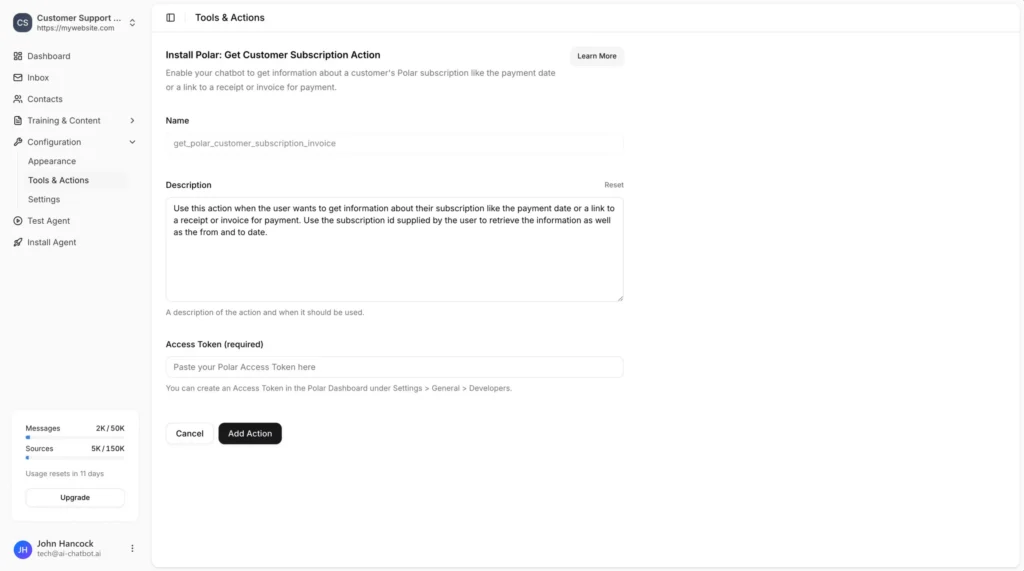
Name
- get_polar_checkout_link for checkout links
- get_polar_customer_subscription_invoice for checkout links
Description
Example for checkout:
Example for subscriptions:
Access Token (required)
Creating a Polar Access Token
1
- Log in to your Polar account.
2
Go to Settings → General → Developers.
3
4
- checkout_links:read
- checkouts:read
- subscriptions:read
- subscriptions:write
- customers:read
- orders:read
5
Copy the generated token and paste it into the Access Token field in AI Chatbot.
Save the Action
Once you have added your access token, click Add Action to enable the action for your chatbot.
Providing Customer Information
To look up subscription information for a specific customer, use the Identify functionality to provide the customer ID to your agent.
Ready to automate your customer service with AI?
Join over 1000+ businesses, websites and startups automating their customer service and other tasks with a custom trained AI agent.