
- Installing Your Chatbot
- CMS Platforms – WordPress
Choose an available topic from the sidebar. More documentation is coming soon.
Choose an available topic from the sidebar. More documentation is coming soon.
CMS Platforms
How to add an AI chatbot to WordPress
How to add your custom trained AI chatbot to your WordPress website.
You want to embed your custom trained AI support agent in your WordPress website. Here’s how to add ChatGPT to WordPress with AI Chatbot.
WordPress is a free, open-source content management system (CMS) that allows you to build and manage websites without needing to know how to code.
Website URL: WordPress
Add your AI support agent to your WordPress website
In AI Chatbot
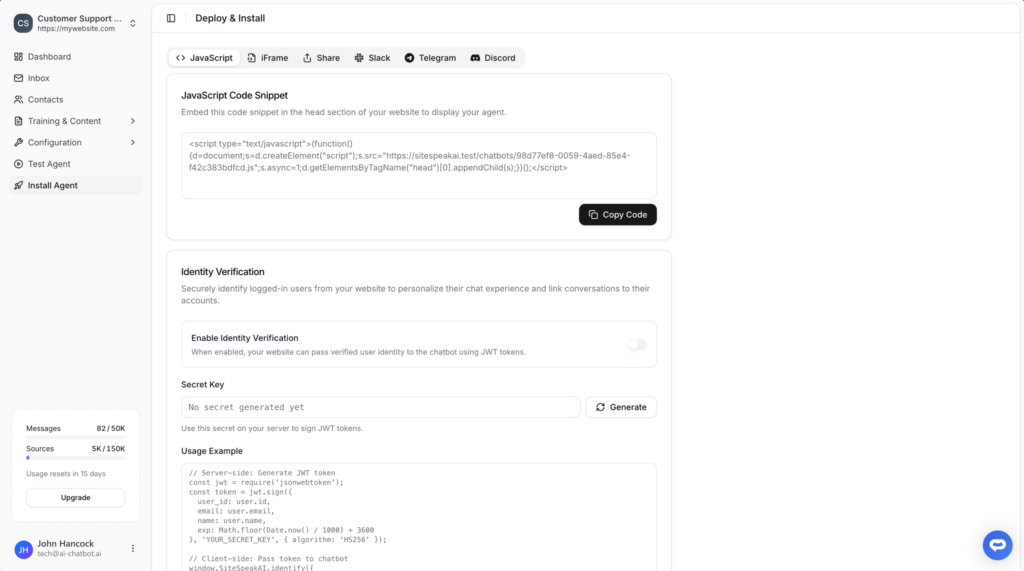
Select your chatbot from the dropdown menu at the top, click on the Install Agent section in the sidebar, then click on the Copy Code button to copy your code snippet.
In WordPress
- Click on Pages
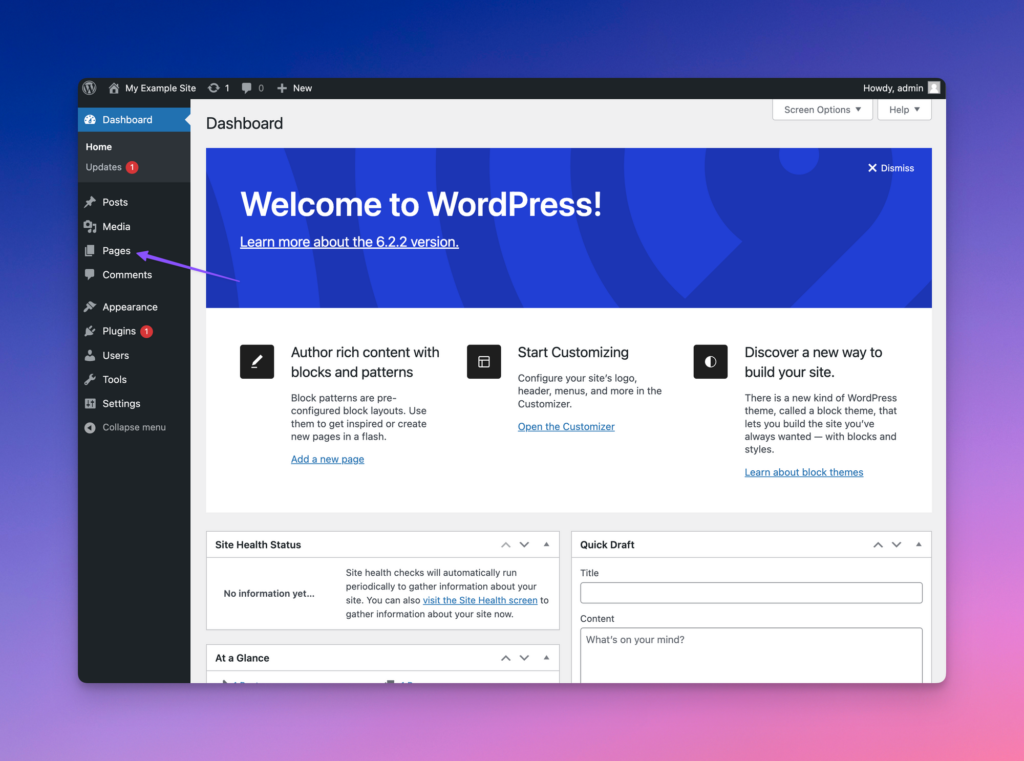
- Select the page you would like to have the AI support agent displayed on
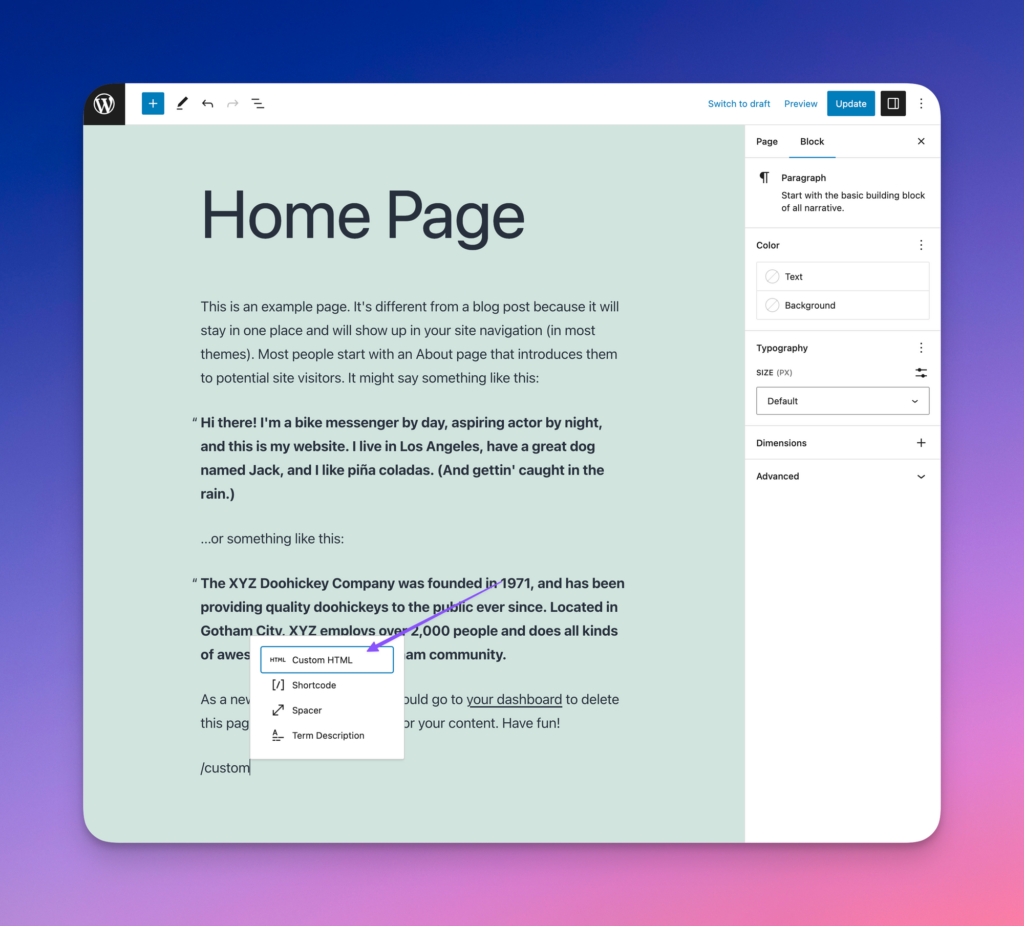
- At the bottom of the page, type / to bring up the block selector and choose Custom HTML
- Paste the AI Chatbot code snippet
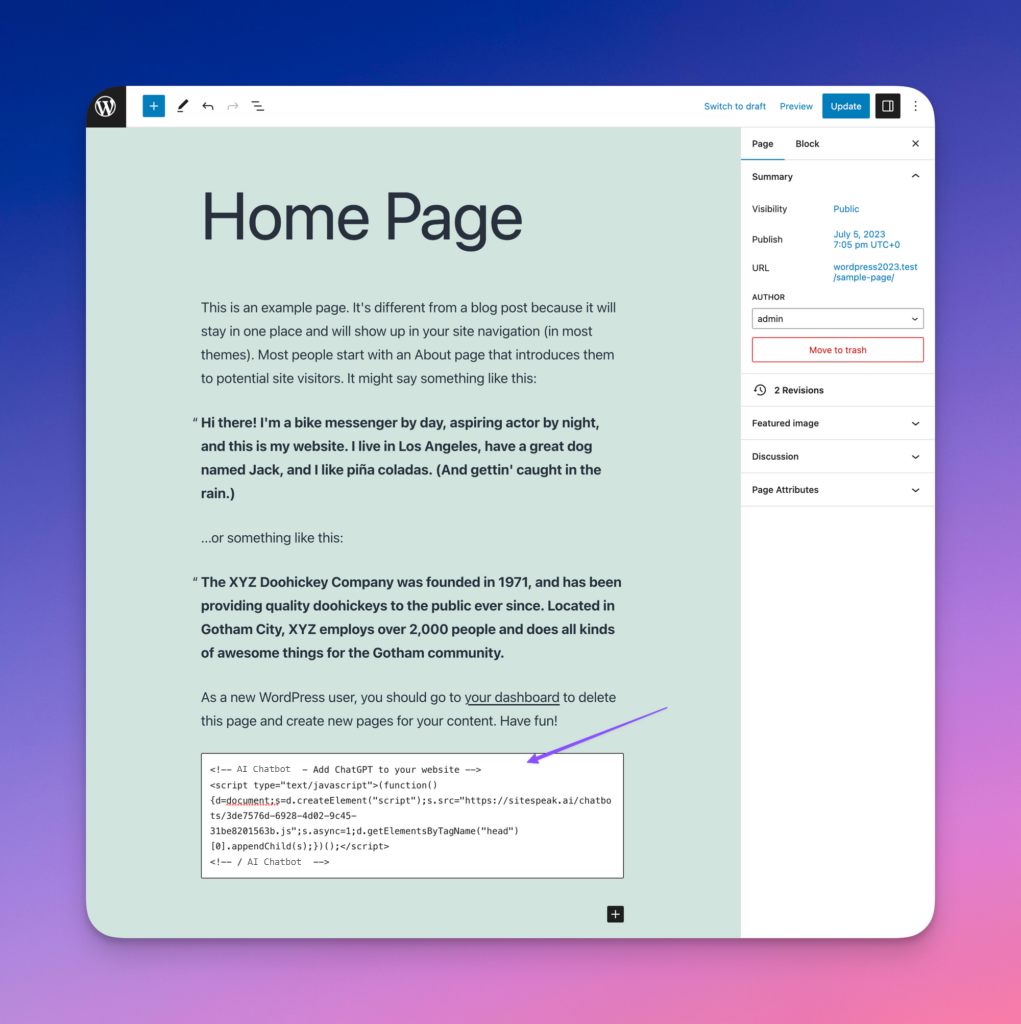
- Update the page to save your changes
Your AI support agent will now be displayed on your WordPress website.
Ready to automate your customer service with AI?
Join over 1000+ businesses, websites and startups automating their customer service and other tasks with a custom trained AI agent.