
- Installing Your Chatbot
- Communication & Messaging – Discord
Communication & Messaging
How to add an AI chatbot to Discord
Find out how to add your custom trained AI support agent to Discord to respond to your members questions.
Installing your AI support agent
Adding a custom trained AI support agent to your Discord server makes it easy to offer 24/7 customer support to your members.
To get started, select the chatbot you would like to install in your Discord server from the dropdown (or create a new chatbot).
Select the Install Chatbot option from the sidebar, and then click on the Discord tab.
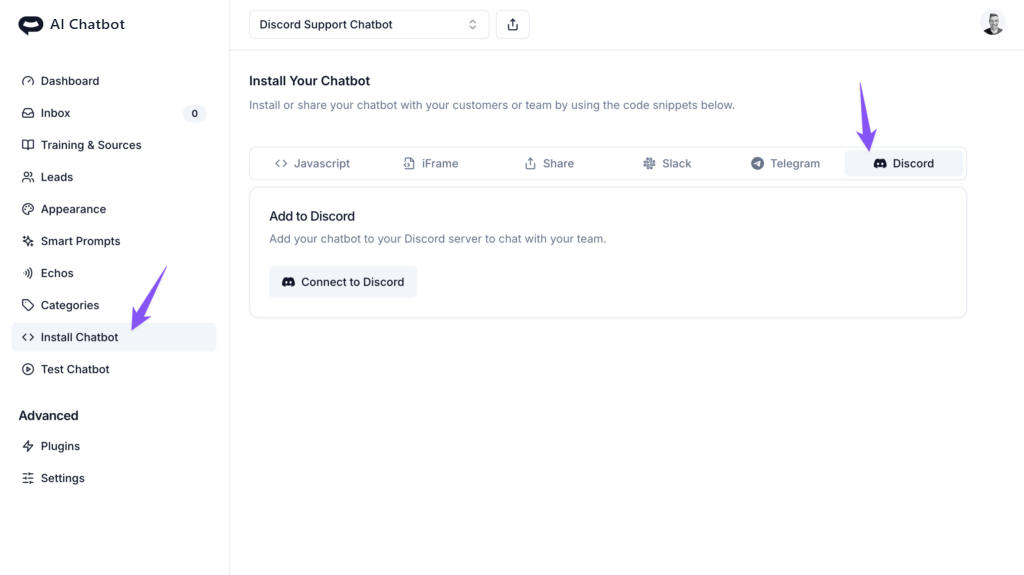
You can now click on the Connect to Discord button to authorize AI Chatbot to retrieve your channels and install your AI support agent in your Discord server.
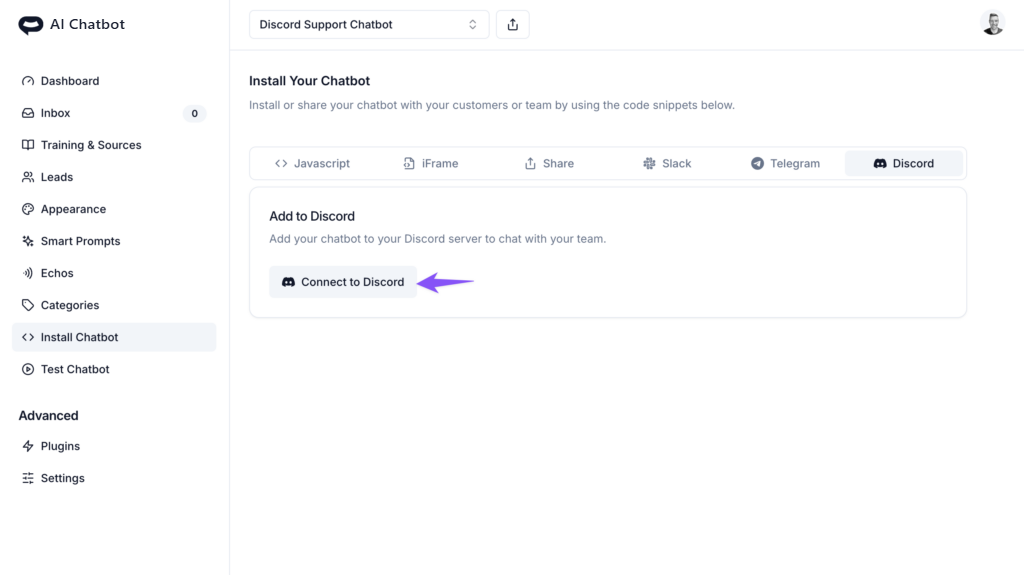
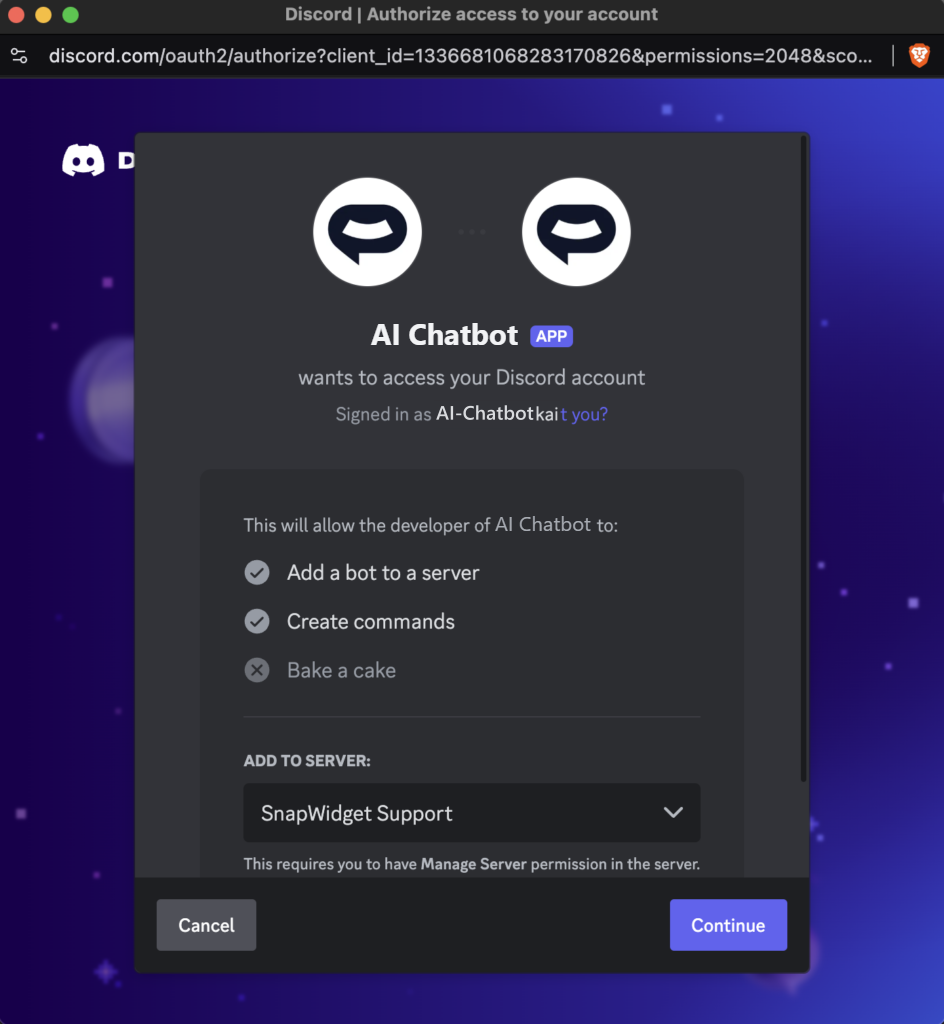
After your AI support agent has been added to your Discord server, you and your members can now use the /ask command to ask your AI support agent queries that it can answer from it’s knowledge base. Remember to add some training sources to your AI support agent so it can use this knowledge to answer questions!
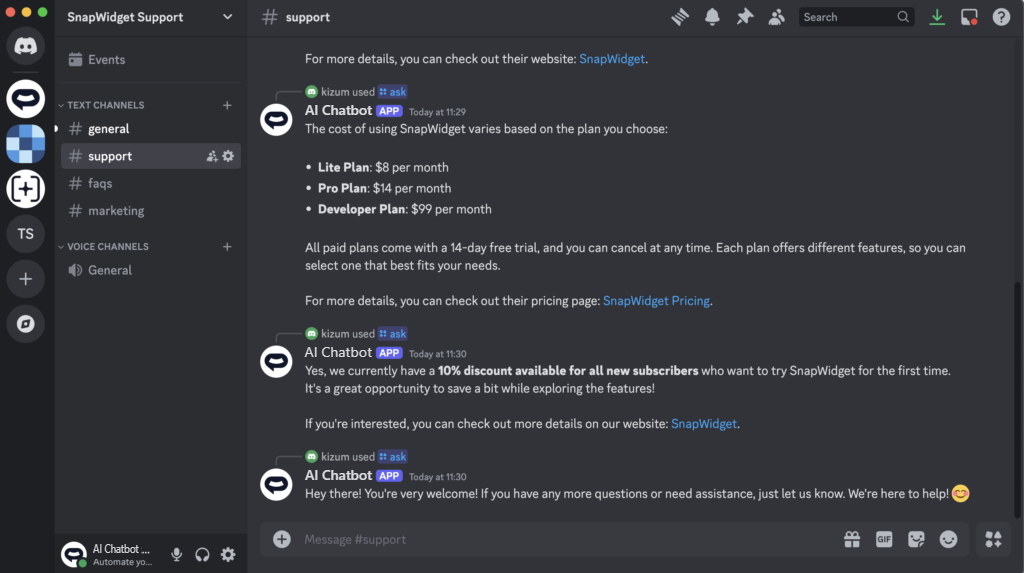
Training your AI support agent from your Discord channels
First, make sure you’ve selected the chatbot you’d like to use.
Then select the Training & Sources option from the sidebar and click on the Add Sources or Apps option in the Training & Sources screen.
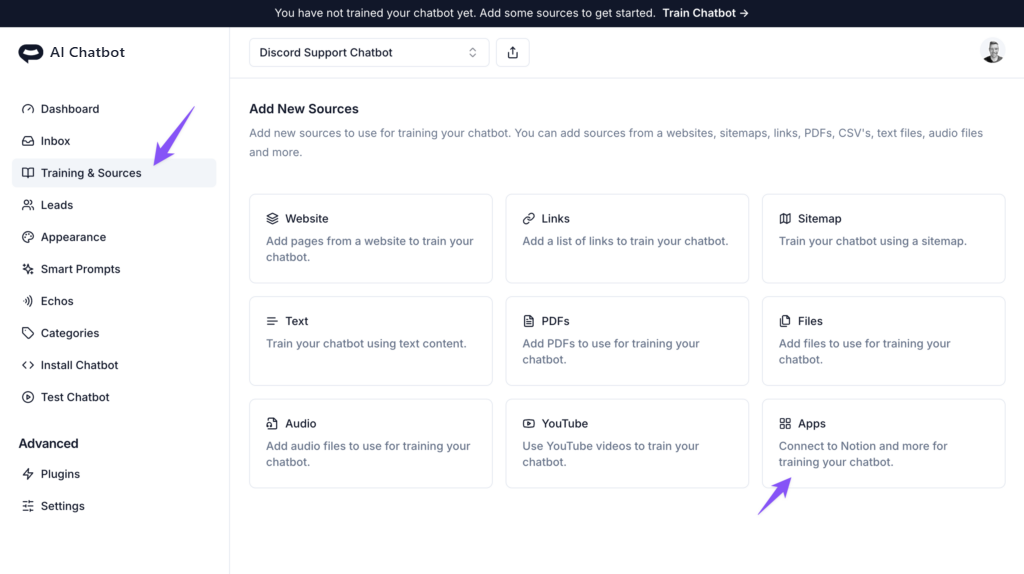
Select the Connect Discord Channels option and you will be able to select the channels you would like to use as training sources from the list.
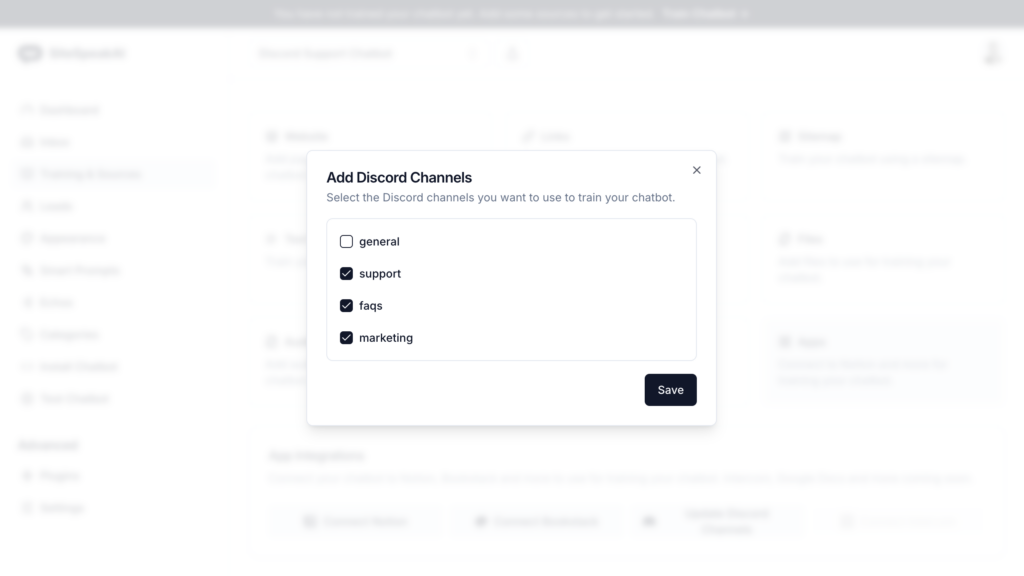
Once selected and saved, your AI support agent will now be trained on content from these channels. Your AI support agent will also automatically check for new content once a day to add to it’s knowledge base.
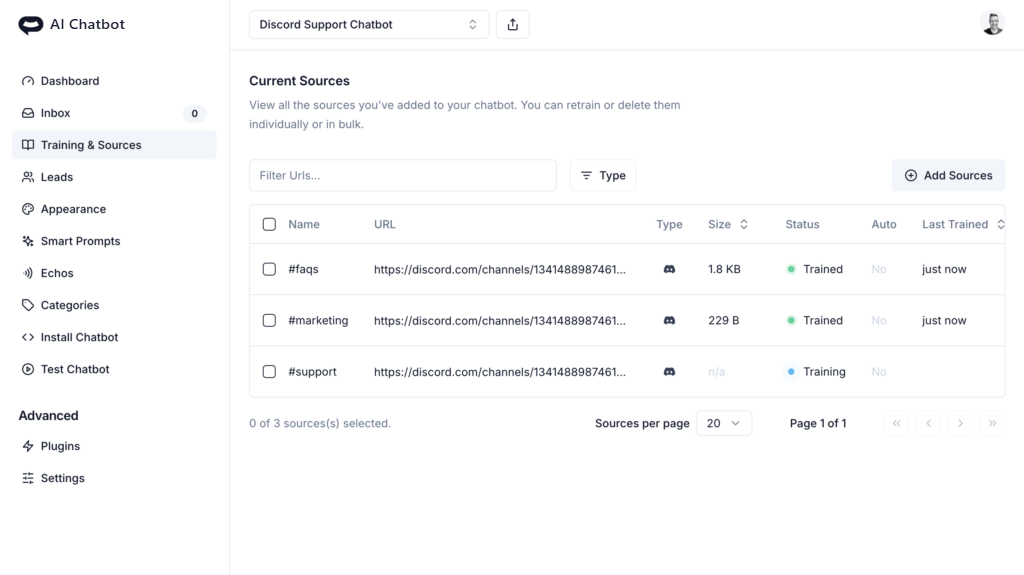
And that’s it! It’s easy to add a custom AI agent to your Discord server and train it on content from your channels.
Ready to automate your customer service with AI?
Join over 1000+ businesses, websites and startups automating their customer service and other tasks with a custom trained AI agent.